Shopify SimGym: test a theme change on AI shoppers before real ones. What it can and can't tell you
By José Antonio Mijares | 2026-11-24 | 5 min read
SimGym sends AI shoppers through your Shopify store before you publish a theme change. It can spot where a visit breaks and compare two themes, but it can't prove a winner because Shopify says simulated results may differ from real buyers. Here is how to use it as a rehearsal before a real test.
Think of Shopify SimGym as a dress rehearsal, not a final verdict. The app sends AI shoppers through your online store before you publish a theme change, so you can spot where a visit breaks before real customers encounter it. What it can't tell you is which version will sell more to real people, since Shopify's Help Center says simulated results may differ from real buyers.
That gives you a clear workflow: make a change for a specific reason, run SimGym, fix what it flags, and then prove the change with real traffic.
Everything below comes from Shopify's Help Center and changelog as of November 24, 2026. SimGym is in Shopify's AI Research Preview, so details can change week to week.
What SimGym does
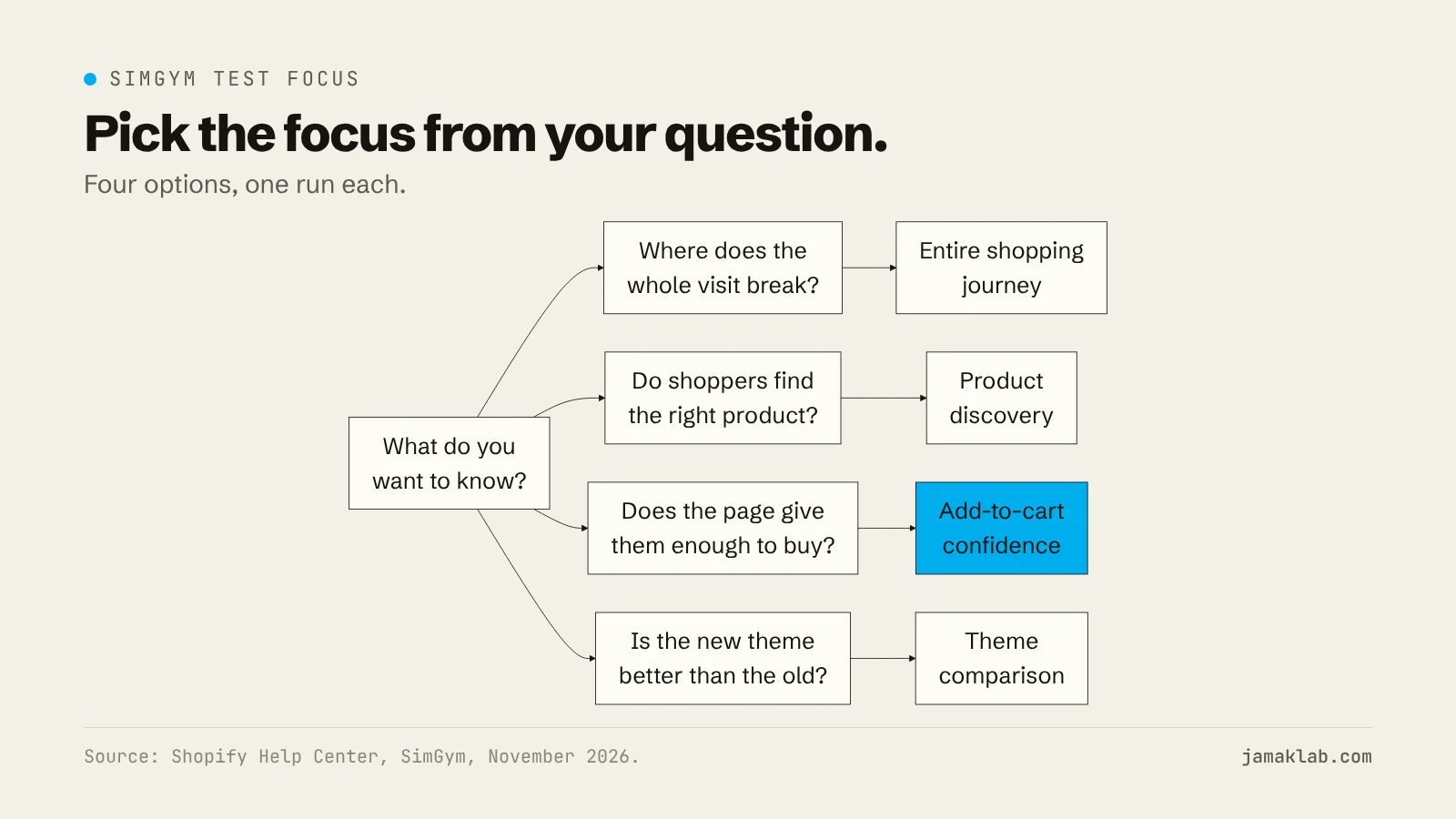
You pick a theme and a test focus, and SimGym runs AI shoppers through your storefront. Shopify lists four test focus options:
- Entire shopping journey: the whole visit, from landing to cart.
- Product discovery: whether shoppers find the right product.
- Add-to-cart confidence: whether your product details give shoppers enough confidence to buy.
- Theme comparison: two themes side by side, compared on add-to-carts.
You can also narrow a test to one part of the store: the home page, products, collections, the cart, or search. Since a recent update, SimGym can also analyze a single theme on its own, without a second theme to compare it against.
Who can use it
Shopify's Help Center lists what a store needs:
- Shopify Network Intelligence switched on for the store.
- An active plan and at least one product published to the Online Store with a price above zero.
- A standard Shopify (Liquid) theme. SimGym works on standard Shopify storefronts built with Liquid, not custom headless setups.
- No permanent password page. The AI shoppers have to be able to open the store. If yours is still in its free trial, check Shopify's Help Center for how SimGym treats it.
Every simulation counts toward a monthly allowance that renews on the first day of each month. Comparing two themes uses twice as much of that allowance as a single-theme test, so save comparisons for changes you actually plan to publish.
What it can and can't tell you
| Question | SimGym | A test with real visitors |
|---|---|---|
| Where does a visit get stuck? | Yes, before anything goes live | Only after real shoppers hit it |
| Does a product page answer what buyers need? | Yes, with Add-to-cart confidence | Indirectly, through conversion rate |
| Which theme gets more add-to-carts? | An estimate from AI shoppers | A measured result |
| Will the change make more money? | No | Yes, with a full sample |
| Does it need traffic? | No | Yes |
The takeaway is simple: SimGym is low-cost and safe, so use it early and often. A real test takes longer and costs you sales whenever visitors land on the weaker version, so run it once, on the change that already passed the rehearsal.
Where it fits in a testing program
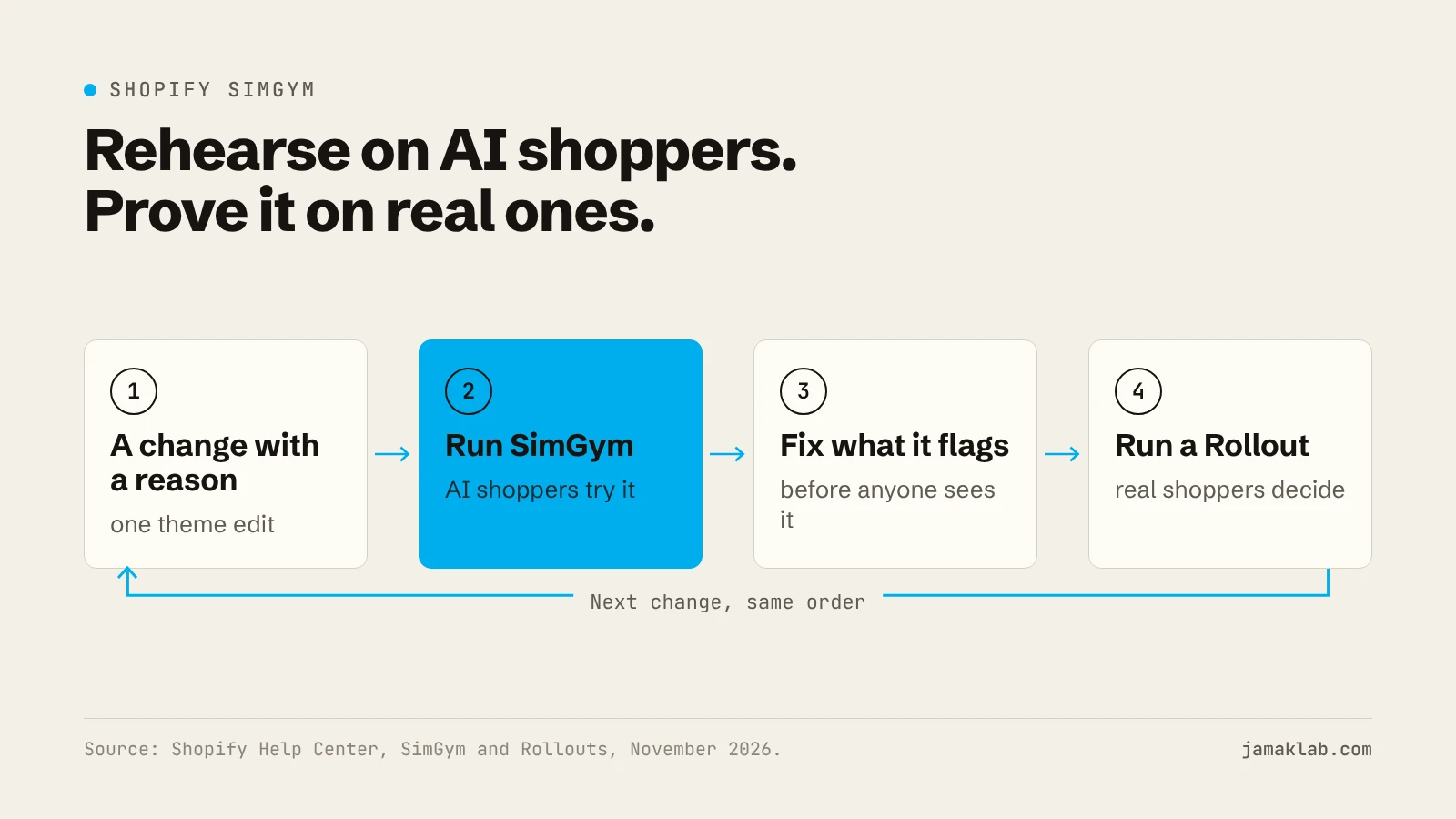
- Start with a change that has a reason. "Customers ask about sizing in chat, so we're adding a size chart to the product page" is a reason. "Let's try a new theme" isn't.
- Run SimGym on it. Pick the focus that matches the reason. For the size chart, that's Add-to-cart confidence on product pages.
- Fix what it flags before a real shopper sees it. This is where SimGym earns its keep: a broken filter, a hidden size selector or a cart drawer that won't open costs you nothing when an AI shopper finds it.
- Prove it with real traffic. Shopify's Rollouts tool sends part of your real visitors to the new version so you can compare results. The usual testing rules still apply: decide how many visitors you need first, run the test for full weeks, and review mobile and desktop separately. We list the ways a real test goes wrong in A/B testing mistakes that kill your conversions.
Skip step 4 only for changes too small to matter. If a change touches the product page, the cart or the price, it needs real buyers.
What to watch for
AI shoppers aren't your shoppers. They don't know your brand, didn't come from your ads and don't have your customers' objections. Treat a "win" in SimGym as a reason to run the real test, not a reason to skip it.
SimGym reads the same product details AI agents read. A product page that leaves a simulated shopper unsure about sizing, shipping, or returns will probably leave an AI shopping agent unsure too. If you haven't yet, check the five points in Shopify's Fall '26 Edition and AI agents.
Apps change what it sees. If an app adds a popup, a quiz or a custom cart, SimGym runs into it the way a shopper would. That's useful: it's one more way to catch an app that costs you conversions.
If you want a second pair of eyes on a theme change before it goes live, see our Shopify work or talk to us.
Frequently Asked Questions
Q: What is Shopify SimGym?
SimGym is a Shopify app that sends AI shoppers through your online store so you can test a theme change before publishing it. As of November 2026, it is in Shopify's AI Research Preview, and you can use it to compare two themes or analyze a single theme on its own.
Q: Can SimGym replace an A/B test?
No. Shopify's Help Center says simulated results may differ from real buyers. Use SimGym to find problems before launch, then confirm the change with real visitors, for example with Shopify's Rollouts.
Q: Does SimGym work on every Shopify store?
No. It needs Shopify Network Intelligence switched on, an active plan, at least one product published to the Online Store with a price above zero, and a Liquid storefront. A store kept behind a permanent password page can't be tested.
Q: How much does SimGym cost to run?
Runs come out of a monthly allowance that renews on the first of each month. A theme comparison uses twice as much of the allowance as a single-theme simulation.
Key Takeaways
- A rehearsal, not a verdict: SimGym shows where AI shoppers get stuck, but Shopify says results may differ from real buyers
- Pick the focus from the question: Entire shopping journey, Product discovery, Add-to-cart confidence or Theme comparison
- Check eligibility first: Network Intelligence on, a Liquid theme, a priced product on the Online Store and no permanent password page
- Comparisons cost double: a theme comparison uses twice the monthly allowance of a single-theme run
- Prove it with real traffic: run the change that survives SimGym as a real test before you call it a winner