Shopify's Fall '26 Edition opens your store to AI agents. What to set up first
By José Antonio Mijares | 2026-11-03 | 6 min read
AI agents can now search your Shopify catalog, fill a cart on your storefront and take the shopper to your checkout. They work from your product data and your policies, so those are what to fix. Five things to check this week.
Shopify's Fall '26 Edition, released on October 28, 2026, is built around one idea: AI agents shopping on a buyer's behalf. An agent can search your products, fill a cart on your storefront and take the shopper to your checkout.
You don't install anything for most of it. What you control is what the agent reads: your product data and your written policies. If those are vague, the agent's answer about your store is vague too.
Everything below comes from Shopify's developer documentation and changelog as of November 3, 2026. Agency write-ups of the Edition disagree on the number of updates and on which agents are live, so we only use what Shopify documents.
What changed for a Shopify store
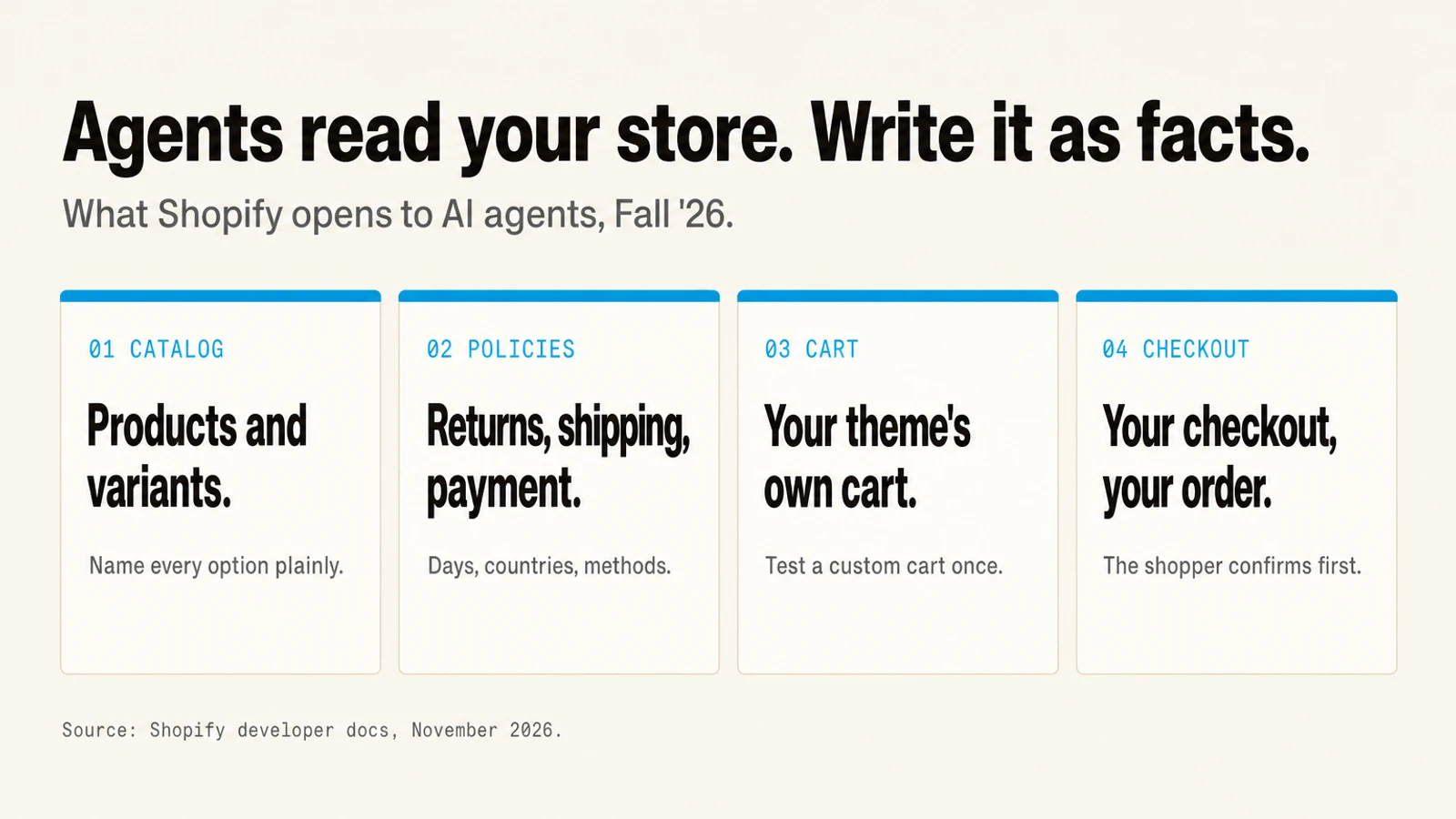
Agents can search your catalog. Shopify Catalog holds over 1 billion products, according to Shopify's Shop MCP announcement of October 13, 2026. An agent that connects to it can search products, open a product's variants, build a cart and create a checkout at the store that sells it.
Agents can shop on your storefront. Since August 5, 2026, every Liquid storefront exposes WebMCP tools that a browser agent can call: search the catalog, open a product, update the cart, go to checkout, and answer questions about your policies. Shopify says there's nothing to install or configure. Agent support is currently limited to Chromium-based browsers, through a trial of the proposed standard.
Agents can ask your store a question. Shopify's Ask tool answers buyer questions about returns, shipping, warranties and services "from the store's knowledge base and policies" (docs). It's still a draft capability.
The order is still yours. Shopify's docs say the merchant always remains the merchant of record, and orders placed through an agent appear in your admin like any other order. The shopper confirms the total and payment method before an agent completes a purchase.
Agency coverage of the Edition also describes a knowledge base page in the admin where you approve the facts agents receive, and Shop Pay checkout inside more AI assistants. We couldn't confirm either on a Shopify page we could reach, so check your own admin before you plan around them.
Five things to set up
These are our recommendations, not Shopify's rules.
1. Write your policies as facts. The tools agents use to answer "what's your return policy?" read your policies and FAQs. "Easy returns" gives them nothing to repeat. "30 days from delivery, unused, original packaging" does. Do the same for shipping countries, delivery times and payment methods. If you accept OXXO, say so in writing.
2. Name every variant option plainly. An agent picks a size or color from your variant options, the same data your theme shows. "Option 1: S, M, L" works. A size chart only in an image doesn't.
3. Put the facts on the product page. A product with an empty description or adjective-only copy gives an agent nothing to compare. This is the same gap that keeps stores out of ChatGPT's answers, covered in why your store ranks on Google but ChatGPT never mentions it.
4. Test your cart once. Shopify says the cart tools call the same standard storefront actions that apps use, so a theme that opens a cart drawer on updates opens it for agents too. If your cart was rebuilt with custom code or a cart app, add a product with a browser agent in Chrome and check that it shows up.
5. Leave the managed agents.md alone. Shopify serves an agents.md file for every store at /agents.md that tells agents where your commerce endpoints and policies are. You can replace it with your own template, but that also replaces your /llms.txt and you then keep it current yourself. For most stores, the managed file is the right one.
How to know if it's working
Ask an AI assistant about your own store the way a shopper would: "Does [store] ship to Canada?", "What's [store]'s return window?", "Find me [your product] in size M." Write down whether the answer matches your policy and whether it picks the right variant. Repeat it after you fix the policy page, and once a month after that.
Orders from agents land in the same admin as every other order. Watch your order sources over the next few weeks rather than guessing what share comes from agents.
Ezeo covers how to measure whether AI assistants mention your brand. Jamak builds and tunes Shopify stores, including the product data and policy pages agents read. See our Shopify work.
Frequently Asked Questions
Q: What is in Shopify's Fall '26 Edition for AI agents?
Shopify's developer docs describe agents that search Shopify Catalog, build carts and create checkouts at your store, and browser tools on every Liquid storefront that let an agent search, update the cart, go to checkout and answer policy questions. The shopper confirms before a purchase, and you stay the merchant of record.
Q: Do I need to install anything for AI agents to shop my Shopify store?
For the storefront tools, no. Shopify says the WebMCP tools are live on every Liquid storefront with nothing to install or configure. What you should do is make your product data and policies clear, because that is what agents read.
Q: Where do agents get answers about my return and shipping policies?
From your store's policies and knowledge base, according to Shopify's Ask documentation. Write them with specific numbers, such as a return window in days and a list of shipping countries, so an agent can repeat them accurately.
Q: Should I edit the agents.md file Shopify creates?
Usually not. Shopify manages it for every store and keeps it in sync with your commerce setup. A custom agents.md template also replaces your llms.txt, and you take on keeping it current.