What are Claude Code Projects? One conversation that runs your work in parallel.
By José Antonio Mijares | 2026-10-25 | 7 min read
Anthropic's Claude Code Projects turn one conversation into a coordinator that starts parallel threads, keeps shared memory, and tells you what needs you. What it is, when to use it, and how to set one up.
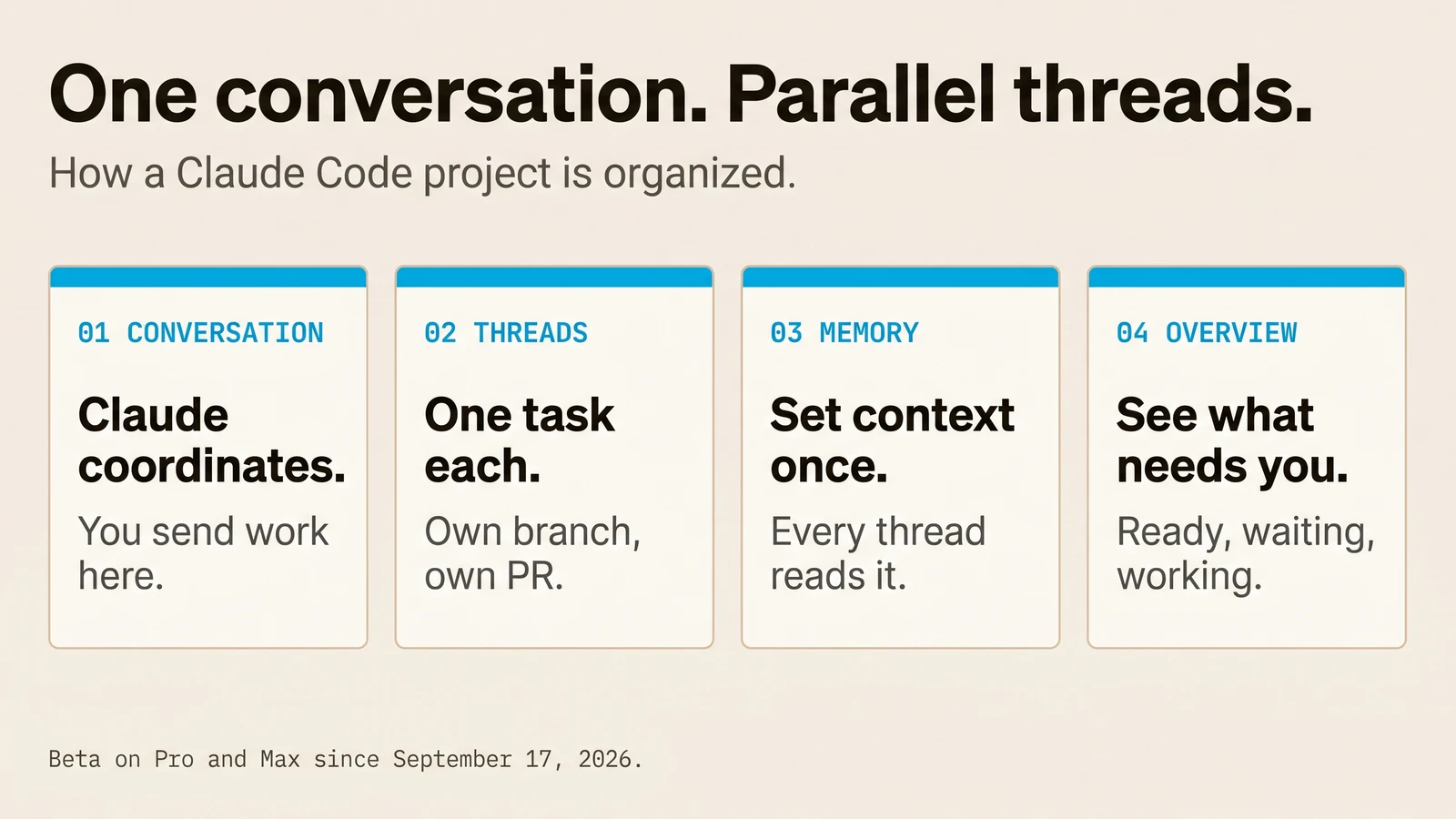
Claude Code Projects is a beta feature Anthropic released on September 17, 2026. A project is one ongoing conversation where Claude acts as coordinator. You tell it what needs doing. It starts a thread for each task, each thread is a full Claude Code session on its own branch, and the results come back to the conversation.
You stop managing sessions. You start managing outcomes.
What problem it solves
Running several AI coding sessions at once was already possible. The hard part was you.
You decided what each session worked on. You pasted the same background into each one. You checked back to see which finished and which was stuck on a question. Five sessions meant five tabs and one tired person doing the routing.
A project moves that routing to Claude. Anthropic's launch post puts it plainly: Claude scopes the request, delegates the work, coordinates parallel threads, reviews the outputs and assembles the result. You can steer it from your phone, and it keeps working after you close the laptop.
The four parts of a project
The conversation. One long-running session where Claude is the coordinator. You paste a bug report, a list of tasks or a loose idea. Claude answers quick questions in place and turns real work into threads. It sees what threads report back, not every step they take.
Threads. The workers. Each one is a separate session with its own context window. A cloud thread clones the project's repositories, works on its own branch, opens a pull request when the work calls for one, and watches it: it pushes fixes when CI fails and answers review comments.
Memory and instructions. Project instructions (up to 16,000 characters) reach every new thread. Project memory is a set of files with a MEMORY.md index that every cloud thread reads when it starts. Tell Claude to remember a decision once, and the next thread starts with it.
Overview. One pane that groups threads by state: ready for review, waiting on you, working, landing, idle and resolved. Its Library tab holds the files you added and everything the threads produced.
When a project is worth it
The official docs name four kinds of work that fit:
- One goal across many repositories. "Bring every service up to the new lint config." One thread per repository, one pull request each.
- An area you keep feeding. Bugs and stack traces for one service, pasted in as they arrive.
- A build bigger than a session. "Build what the spec describes." The work splits into threads, and early decisions reach later threads through memory.
- Work that isn't code. Upload contracts or a support-ticket export and ask questions. Threads deliver each write-up as a file.
And four that don't. One task that fits in a session: start a cloud session. Work where every task needs your machine: use a local session. One job on a schedule with no conversation around it: use a scheduled task. A team steering Claude together in Slack: that is Claude Tag, not Projects.
How we use it at JAMAK
We run our own publishing on it. One project holds the three sites we write for: jamaklab.com, joseamijares.com and ezeo.ai. The instructions say where each blog lives and what each site's image style is. Memory holds the rules we decided once, like "every image gets alt text, a caption and schema." Scheduled tasks in the project start each site's weekly post as a thread.
This article came out of that project. The request was one line in the conversation. A thread researched Anthropic's announcement and docs, wrote the post in English and Spanish, made the images, and opened the pull request.
That is the honest pitch for an agency: not more output, but less routing. The coordination we used to do between tabs now happens in one conversation we can read.
Set up your first project in six steps
- Check access. Projects are in public beta on Pro and Max and rolling out gradually. Look for Projects in the sidebar at claude.ai/code, or under More. Team and Enterprise plans don't have it yet.
- Connect GitHub properly. Code has to be on github.com, and the Claude GitHub App has to be installed on each repository. The
/web-setuptoken alone is not enough for project threads. - Write the instructions first. What the project is for, which branch to start from, how a thread checks its own work, and what needs your go-ahead. Rules about one repository belong in that repository's
CLAUDE.md. - Send one small real task. Read how the thread reports back before you send ten.
- Check the model. A new project runs every thread on Opus at high effort, which uses your plan fastest. Lower it for routine work in Project settings > General.
- Limit the start. Ask Claude to propose threads and wait for your go-ahead, and to run two at a time. Drop the limits once the threads come back right.
This is the same discipline as any production AI agent: instructions are the permissions, memory is kept on purpose, and every thread leaves a transcript you can read.
What it costs and where it stops
Projects draw on the same plan limits as your other Claude Code sessions, and faster: each thread is a full session, the coordinator uses tokens of its own, and a thread watching a pull request wakes up when CI fails. There is a hard limit of 200 new threads a day. Settings show usage by thread and by model.
The limits worth knowing before you commit:
- Projects run at claude.ai/code, in the desktop app and in the mobile app. Not in the terminal CLI or the IDE extensions.
- Cloud threads load each repository's
CLAUDE.mdand root.claude/rules/, but not its skills, hooks,.mcp.jsonor permission rules. Connectors come from your claude.ai account. - A project belongs to one person. You can't share it or its threads.
- A thread that needs something only your computer has can run there through Remote Control. Everything else runs in the cloud.
Frequently Asked Questions
Q: What are Claude Code Projects?
A beta feature from Anthropic, released September 17, 2026. A project is one ongoing conversation where Claude coordinates related work: it starts a thread per task, each thread is a Claude Code session on its own branch, and it keeps shared instructions and memory across all of them.
Q: Who can use Claude Code Projects?
Pro and Max subscribers, in a gradual rollout that started with people who use Claude Code cloud sessions. Team and Enterprise plans are not included in the beta yet. If you don't see it, Anthropic has a waitlist.
Q: Is this the same as Projects in Claude chat?
No. The earlier Projects group conversations and reference files, with no threads and no coordinator. Those keep working as they do until the new experience reaches chat and Cowork.
Q: Do threads run on my computer?
Usually in the cloud. When a task needs a local database, an emulator or an API behind your VPN, you can ask Claude to run that one thread on your computer through Remote Control. It runs only while that computer is awake.
Q: How much does it cost?
Nothing beyond your Pro or Max plan, but it uses the plan faster than a single session. Pick a smaller model or lower effort for routine threads, and run fewer threads at once, to keep it down.
Jamak sets up AI workflows that run in production, starting with our own. The adoption work is AI Implementation. Agents built to production standard are AI Agents. Talk to us. No rate card.