You can now claim your business in ChatGPT: how Business Hub works, and what to fix the first week
By José Antonio Mijares | 2026-11-10 | 8 min read
OpenAI opened Businesses in ChatGPT in beta on November 10, 2026. Claim your business in Business Hub, keep its details and product feed current, and see how often ChatGPT mentions you. How to set it up, what the insights show, and where Business Agents fit.
Yes, you can now claim your business in ChatGPT. OpenAI opened Businesses in ChatGPT in beta on November 10, 2026. In Business Hub, a business claims its profile, verifies it, updates its details, adds a product feed with prices and availability, and sees how often ChatGPT mentions it and how many people click through to its site. Any eligible business located where ChatGPT is available can claim. The second part, Business Agents, is US-only for now.
OpenAI says ChatGPT has 1.2 billion weekly users. Until today a business had no official way to tell it anything. ChatGPT read your site, your reviews and what others wrote about you, and you found out what it said by asking it yourself. This is the first time OpenAI gives you a profile, a feed and a count.
Everything below comes from OpenAI's announcement, the Businesses in ChatGPT page and the Business Agents Policy, all dated November 10, 2026. It's a beta, so check them before you rely on a detail.
What OpenAI launched
A business profile you can claim. When a business shows up in an answer, people can click through to its ChatGPT profile. Once you've claimed and verified it, you control the key details on it.
Product feeds. Retailers can upload self-service feeds with pricing and availability, and ChatGPT may use them to answer shoppers' questions.
Insights. Business Hub shows mentions, profile views, website clicks and "discovery topics", the common themes of conversations where your website is cited. Insights are aggregated and appear only once there are enough conversations to meet OpenAI's thresholds. No conversation is shared with you.
Business Agents. After claiming, eligible businesses can build, test and launch an agent that answers questions about their offerings, from the profile, in a conversation that's labelled and kept separate from the user's own chat. You can also sponsor the agent and use it as the destination of a ChatGPT ad. For now: eligible ecommerce and online-service businesses in the United States.
OpenAI hasn't published a price for claiming a business or running an agent.
How to claim your business in ChatGPT
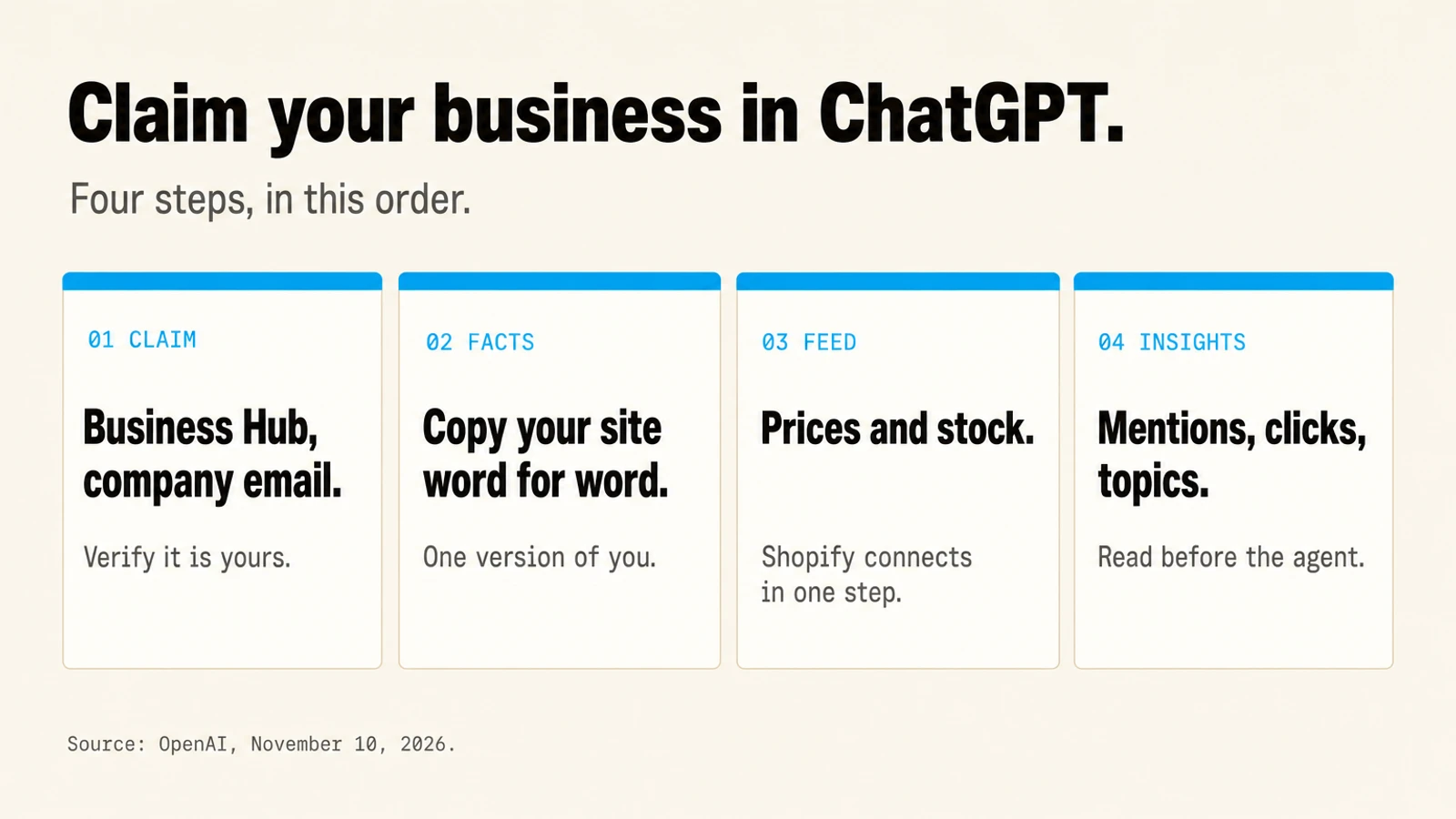
- Go to Business Hub. Open chatgpt.com/business-hub and sign in with an account on your company's domain, not a personal Gmail. You'll want the verification email to land in a mailbox the business controls.
- Pick your route. Shopify merchants connect the store with OpenAI's ChatGPT app or from Business Hub, and Shopify says they're verified automatically; their eligible products are already in ChatGPT through Shopify Catalog (more on the app below). Everyone else claims directly. If you already have an OpenAI account executive, as an Enterprise customer or advertiser, go through them.
- Verify, then fix the facts. Name, category, description, hours, location, links. Write them the way your website does, word for word, so ChatGPT doesn't find two versions of you.
- Add the product feed if you sell online. Prices and stock are where answers go wrong fastest, and a feed is the one source OpenAI says it will take from you directly.
- Leave the agent for week two, after you've read your first insights.
Shopify stores: the ChatGPT app
For Shopify, the route is the ChatGPT app in the Shopify App Store. It's built by OpenAI and free to install, and on launch day Shopify said merchants who connect through it are verified automatically. According to the listing, the app:
- Syncs your product catalog to Business Hub automatically, so the feed is your Shopify catalog.
- Publishes a Business Agent that answers shoppers' questions and suggests products, with store details and guidelines you control. Business Agents are US-only at launch.
- Runs ChatGPT ads. It connects an existing ChatGPT ad account or creates one, runs campaigns from your catalog and Shopify Pixel, and reports performance inside Shopify.
Two things we check before installing it for a client:
- What it reads. The app asks for customer data (names, email addresses, IP addresses and browsing behaviour) and edits your web and server pixels. That's what the ads side needs. If you won't run ChatGPT ads, know that you're granting it anyway.
- Its track record. The app first launched on September 3, 2026 as the ChatGPT ads app. On November 10 it had a 2.0 rating from 26 reviews, and most of the complaints were about ads: products stuck at zero in the feed, conversions not reported, and small budgets gone in under an hour.
So we connect it for the profile and the catalog, open Business Hub and confirm the products actually appear there with the right prices, and only then try ads, with a small daily budget.
What to do with the insights
The number you'll look at first is mentions. The more useful one is discovery topics, because it tells you which conversations cite your site. Three checks we'd run in the first week:
- Topics you don't expect. If you're cited for a service you stopped offering, the page that says so is still live somewhere. Find it and update it.
- Topics you expect and don't see. If your main service is missing, ChatGPT isn't reading a page that answers it. That's a content gap, and a direct question-and-answer section on that service page is the usual fix.
- Mentions without clicks. If you're named but nobody clicks, the answer is probably already complete without you. Give them a reason to click: a price, a calculator, stock, something the answer can't hold.
Business Hub won't show the prompts behind a mention, or how you compare with a competitor. For that you still need to ask the questions yourself, which is what our guide to checking whether ChatGPT cites your brand walks through.
Business Agents, and the rules they come with

A Business Agent answers from your product and policy information, using guidelines you write. OpenAI's example is a shopper comparing two products and asking which features fit their needs. The policy published the same day is strict, and it reads like a checklist for anyone who's built a sales bot before:
- It must say it's an AI representing the business, never a human or an independent adviser.
- No invented prices, availability, reviews, guarantees or results, and no hidden fees when they matter to the question.
- No pressure, no false urgency, no follow-up after someone says no.
- No asking for health details, government IDs or financial credentials, and no submitting a form, booking or purchase for the user without an approved feature.
Verification alone doesn't make you eligible. OpenAI says it considers the business category and the agent's intended use, and may defer a category. If you're outside the US, as most of our clients in Mexico are, you can claim and verify now and prepare the content an agent would use: an accurate FAQ, return policy and shipping page. Those help the answers today anyway.
What we're telling clients
Claim it this week, from a company address, and make the facts match your site. If you're on Shopify, connect the store, because your products are already in ChatGPT and this is how you take ownership of how they show up. Then read a month of insights before you decide whether an agent is worth building. If you want the store side in more detail, our post on why a Shopify store ranks on Google but ChatGPT never mentions it covers the pages these answers lean on.
Frequently Asked Questions
Q: Can I claim my business in ChatGPT?
Yes. Since November 10, 2026, any eligible business located where ChatGPT is available can claim it in Business Hub at chatgpt.com/business-hub, verify it, and update its details. It's in beta.
Q: Does it cost anything to claim a business in ChatGPT?
OpenAI's announcement doesn't publish a price for claiming a business or for Business Agents. Sponsoring a Business Agent as an ad destination is a paid placement through ChatGPT Ads.
Q: What insights does ChatGPT Business Hub show?
Aggregated mentions, profile views, website clicks and discovery topics, the common themes of conversations where your website is cited. They appear only above OpenAI's privacy thresholds, and no conversation is shared.
Q: Are Business Agents available in Mexico?
Not yet. At launch, Business Agents are available to eligible ecommerce and online-service businesses in the United States. Businesses in other countries where ChatGPT is available can still claim their profile.
Q: Do Shopify stores need to do anything?
Their eligible products are already in ChatGPT through Shopify Catalog. Installing OpenAI's free ChatGPT app from the Shopify App Store claims the business, syncs the catalog to Business Hub and, per Shopify, verifies the merchant automatically. The same app can publish a Business Agent (US only at launch) and run ChatGPT ads, so check the data it asks for before you install it.