ChatGPT makes GIFs now. How to use them on your store without slowing it down
By José Antonio Mijares | 2026-11-05 | 6 min read
OpenAI's Images 2.6 update, out November 4, 2026, turns a prompt or a photo into an animated GIF inside ChatGPT. We made two and measured them. Four rules before one goes on a product page, a landing page or an email.
Yes, ChatGPT makes animated GIFs now. OpenAI added it on November 4, 2026, as part of an update it calls ChatGPT Images 2.6: you give it a prompt or a photo, it gives you a short looping GIF, and you can change the speed and edit single frames before you share it (OpenAI announcement).
That makes a product loop a five-minute job instead of a video shoot. It doesn't make a GIF a good file to put on your site. Below is what we got when we tried it, and the four rules we'd follow before one goes live.
What OpenAI launched
From OpenAI's November 4 announcement:
- GIFs from a prompt or an image. You can adjust the playback speed and edit individual frames.
- Reference images. You can save images of yourself, a pet or a character and reuse them without uploading them again.
- Markup and SVG export for refining and using what you made.
- Two new API models, GPT-Image-2.6 Flare ("as little as six seconds" per image) and Sunburst (higher quality and more consistency across edits), with image generation about 50% faster. The developer side, with GIF output in the Image API, is in José's builder notes.
OpenAI's post doesn't list plan limits. Early reports say it is rolling out on every plan and counts against the image limits you already have. Check your own account rather than trusting a number from a blog, this one included.
What we got when we tried it
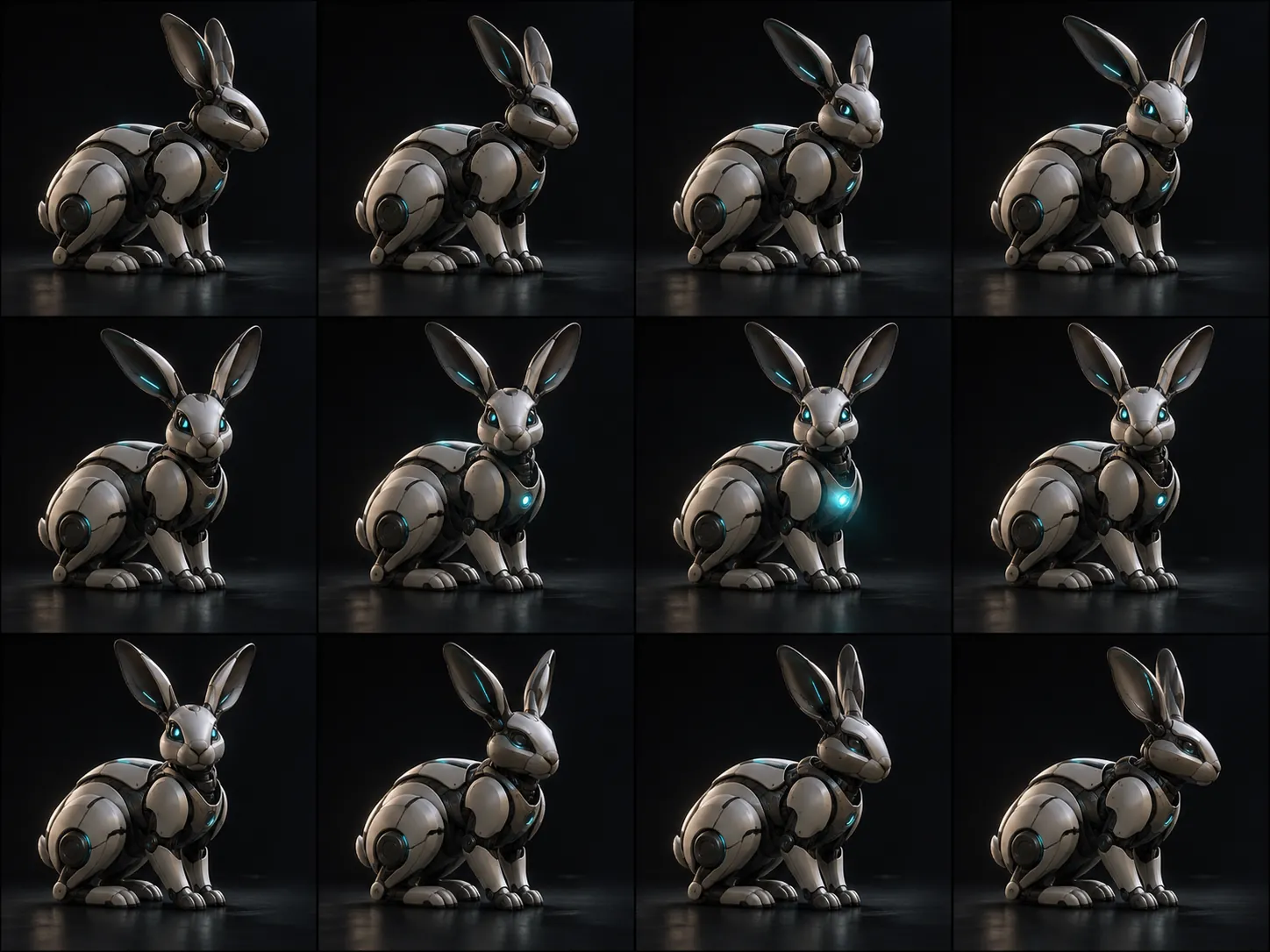
We made two GIFs in the ChatGPT web app on November 4 and 5, 2026. Both prompts asked for a 16:9 loop with no text.
What we noticed:
- Both came back square, though we asked for 16:9. If you need a banner shape, plan to crop or ask again.
- Both loops were seamless: the last frame matched the first, as the prompt asked.
- The viewer has a "Sheet" tab. It shows every frame laid out in one grid image, which is how you spot the one bad frame to fix. It also has pause, playback speed, Edit, Download GIF and Share.
- The files are heavy for what they are. Half a megabyte for under three seconds of a small square.
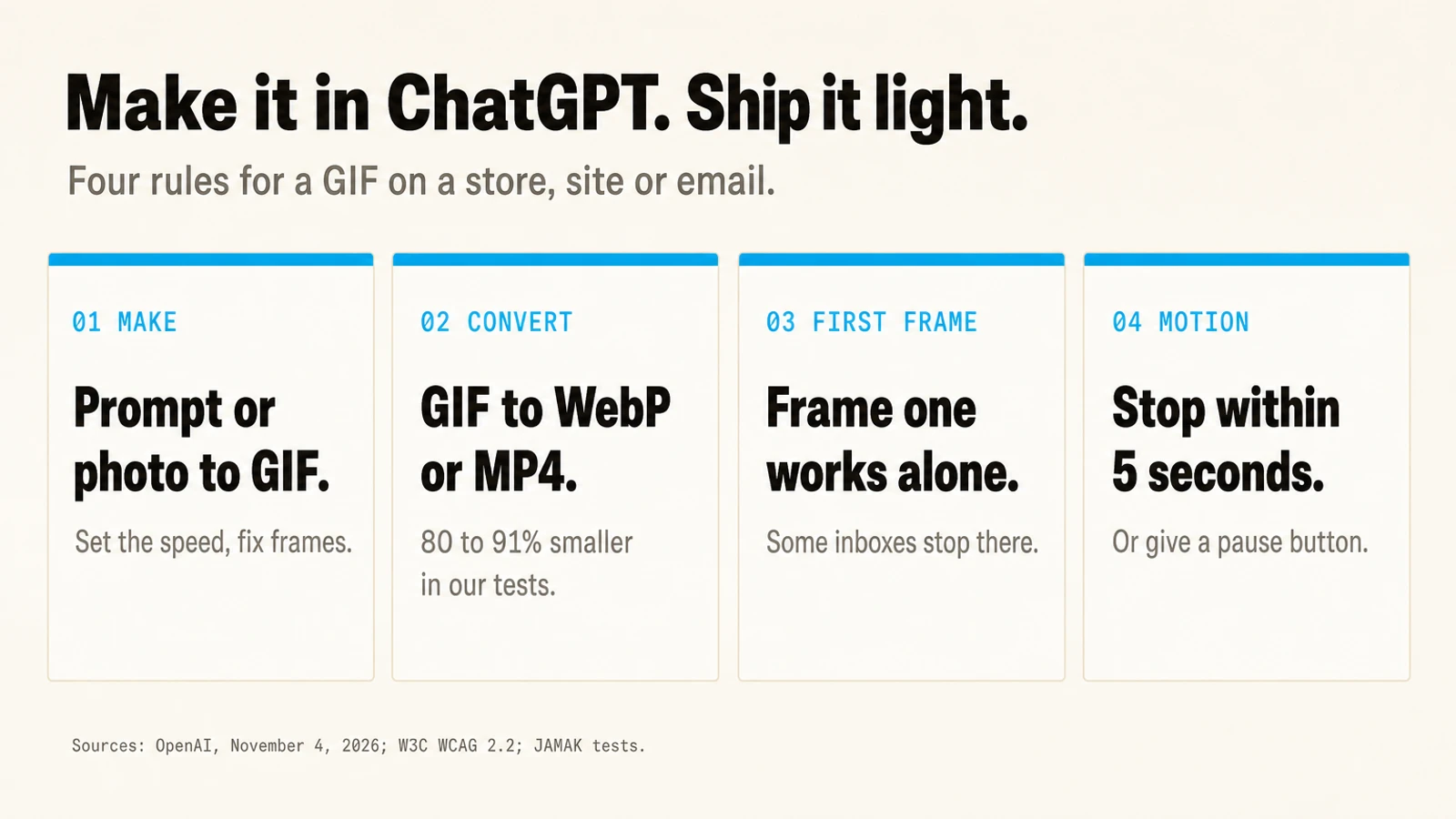
Four rules before a ChatGPT GIF goes on your store
1. Make it in ChatGPT, then fix the frames. Look at the sheet, not only the animation. A hand with six fingers or a label that changes spelling flashes by in motion and is obvious in the grid. Keep prices, product names and offers out of the frames: image models still misspell, and a frame of wrong text is a frame you'll have to redraw.
2. Don't ship the GIF file. Convert it. GIF is a 1980s format with a 256-colour limit per frame and weak compression. We converted the same files with ffmpeg and Pillow:
| File | GIF | WebP | MP4 (H.264) |
|---|---|---|---|
| Rabbit, 12 frames | 549 KB | 111 KB (−80%) | 86 KB (−84%) |
| Mug, 8 frames | 567 KB | 50 KB (−91%) | 68 KB (−88%) |
| API test, 12 frames at 1024 × 576 | 866 KB | 159 KB (−82%) | 112 KB (−87%) |
On a product page, that difference is paid by every visitor on mobile data. Use MP4 in a <video autoplay muted loop playsinline> tag, or animated WebP in an <img>. Shopify's product media takes video files, so the MP4 can go straight onto the product.
3. Make frame one work on its own. Some places only ever show the first frame. Microsoft's support page for Outlook says that if only the first frame of an animation appears, animations are turned off in that copy of Outlook (Microsoft Support). Pick a first frame that shows the product clearly, because for some readers it's the only one.
4. Stop within five seconds, or give a pause button. WCAG 2.2 success criterion 2.2.2 says moving content that starts by itself, lasts more than five seconds and sits next to other content needs a way to pause, stop or hide it (W3C, Pause, Stop, Hide). A GIF that loops forever counts. The videos above loop, so they carry controls.
Where a short loop earns its place
- A product detail the photo can't show: a handle, a lid opening, a fabric moving, steam. That's the mug above.
- A how-to step: one action, two seconds, next to the sentence that describes it.
- Email and social, where the first-frame rule matters most.
Where it doesn't: the hero of your homepage. A loop there competes with the headline for the first second of attention and adds weight to the page's largest image. We keep the first paint on jamaklab.com still for the same reason.
If your store is also trying to be the answer when someone asks ChatGPT what to buy, the media matters less than the facts on the page. That's covered in why a Shopify store can rank on Google and still never be mentioned by ChatGPT.
Want help turning product pages into ones that load fast and sell? Talk to us.
Frequently Asked Questions
Q: Can ChatGPT make GIFs?
Yes. Since OpenAI's Images 2.6 update on November 4, 2026, ChatGPT can turn a text prompt or an uploaded image into an animated GIF. You can change the playback speed and edit individual frames before you download or share it.
Q: Is the ChatGPT GIF maker free?
OpenAI's announcement doesn't list plan limits. Early reports say it is rolling out on every plan and counts against your existing image limits, so check your own account.
Q: What size are ChatGPT GIFs?
In our two tests in the ChatGPT web app the GIFs came back square, 358 × 358 and 439 × 439 pixels, with 12 and 8 frames, even though we asked for 16:9. Your results may differ.
Q: Should I use a GIF or a video on my website?
Use a video or animated WebP. Converting our ChatGPT GIFs made them 80 to 91% smaller with the same frames. Keep the GIF only where video isn't supported, such as some email clients.
Q: Can developers make GIFs with the API?
Yes. OpenAI's image generation guide documents GIF output on the Image API, with a frame count and a frame duration you set.